Standard
Free
Free download. Everything on the dashboard.
MACOS MENU-BAR INSTRUMENT
Your complete network state (Wi-Fi, IP, VPN, latency, DNS leaks, traceroute) in one click from the menu bar. No Terminal. No dashboards in your browser. No daemons in the background.
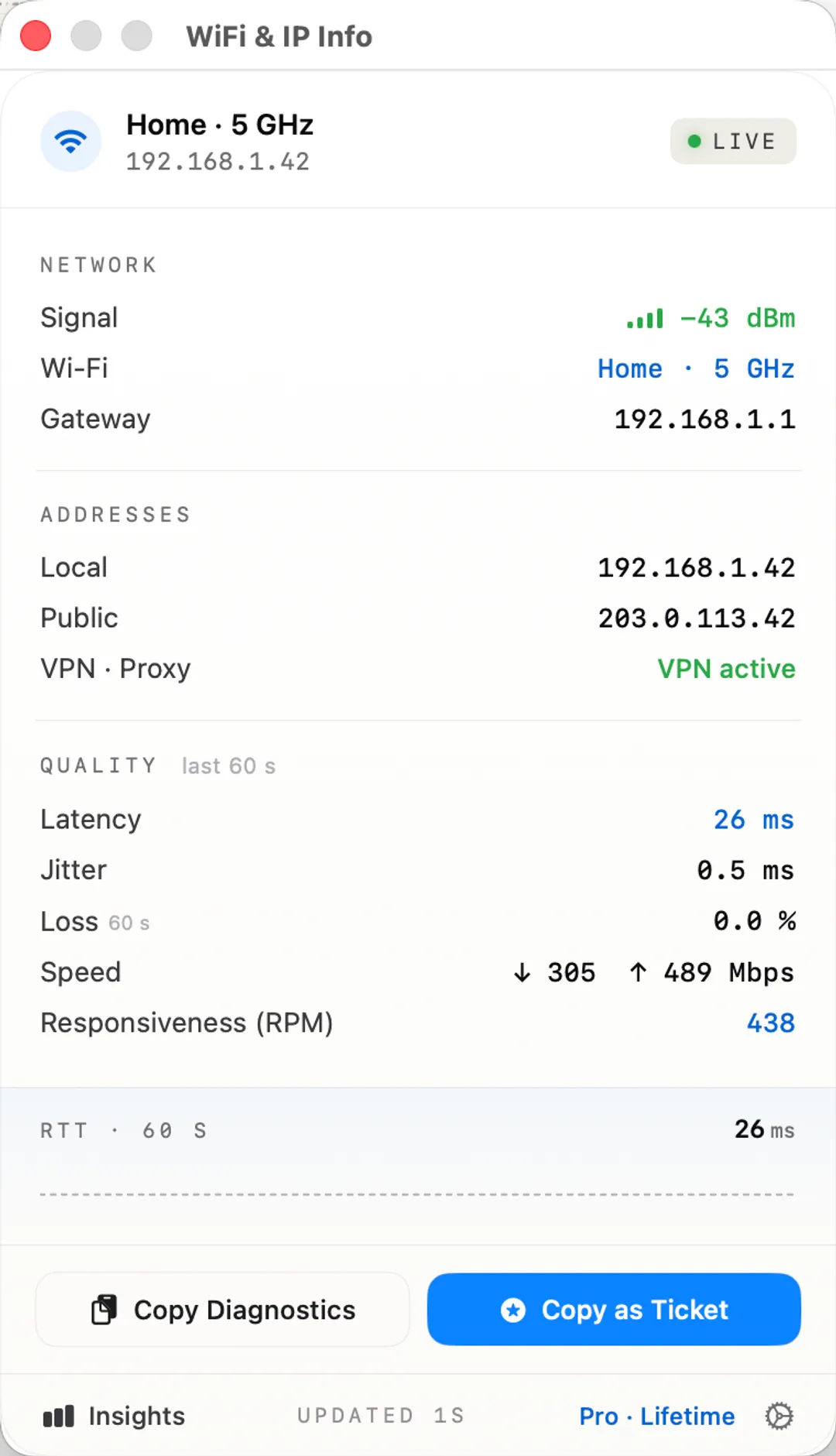
STANDARD · INCLUDED
The dashboard side of the instrument. Shipped with every copy.
Dashboard
Wi-Fi SSID, signal strength, local IP, external IP, gateway. Every value copies with one click.
Captive portal
One-click login when a hotel or airport network is holding your connection hostage.
VPN & proxy
Live VPN status with protocol (WireGuard, Tailscale, IPSec). HTTP / HTTPS / SOCKS / PAC proxies surfaced.
Diagnostics
Ping to gateway with average, min, max, jitter, and packet loss. Session-aware uptime counter.
IP-change alerts
A notification the moment your public IP shifts, useful when VPN drops silently.
12 languages
English, Ukrainian, Chinese, Japanese, German, French, Korean, Portuguese, Spanish, Italian, Arabic, Dutch.
Dark mode
Auto-switches with the system. Light when your Mac is light, dark when it is dark.
Menu bar only
An accessory app that lives in the menu bar. Never lands in the Dock or Cmd+Tab.
INSIGHTS · PRO LIFETIME · $9.99
One click into Insights at the bottom of the popover. Each instrument earns its own pane. No subscription. No trial.
Average, P95, jitter, and 24-hour availability over time. Hover any sample for the exact reading.
Every drop, rejoin, or network switch as a session with duration. CSV export for your ISP. Helpdesk Markdown one click away.
Apple's networkQuality engine, surfaced. Download, upload, and a High / Medium / Low responsiveness verdict.
Every resolver your Mac is using, with country flag and ISP per resolver. Flags multi-country leaks.
Live hop-by-hop list with a "slow jump" badge on the hop most likely to be the real bottleneck.
Your provider, ASN, and IP geolocation, for the rare moments you need to prove who is in charge.
24-hour scorecard rolling stability, jitter, and packet loss into a single legible verdict.
Nearby networks with signal strength and channel, so "the Wi-Fi is slow" stops being a guess.
PRICING
Standard
Free
Free download. Everything on the dashboard.
Pro Lifetime
$9.99
One-time unlock for the full Insights workspace.
Existing customers who bought before 2.0 get Pro unlocked automatically. Thank you.